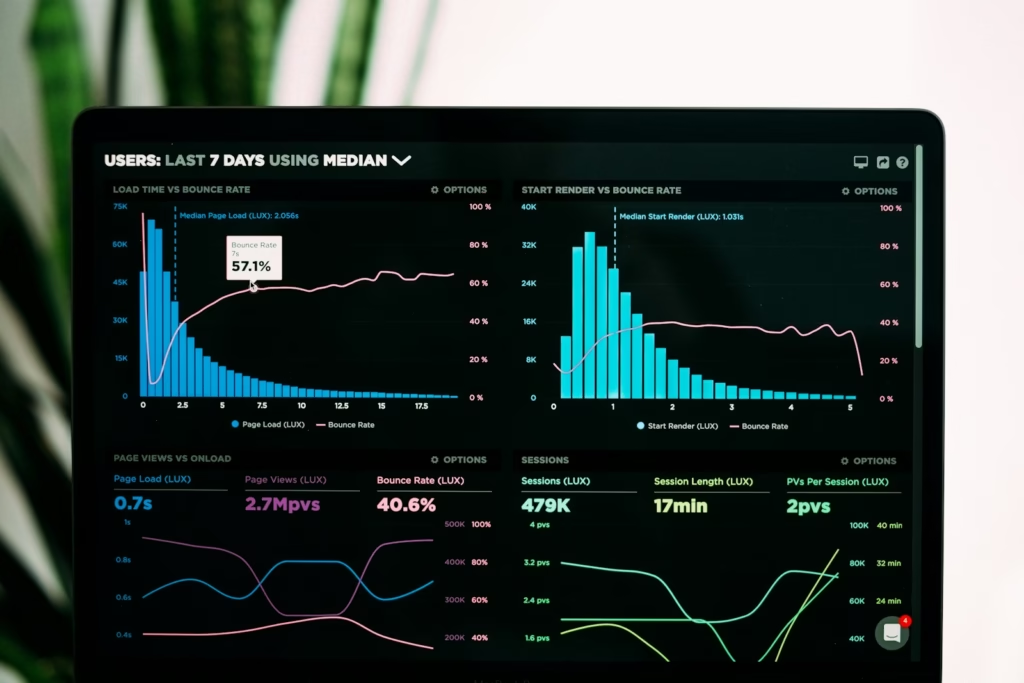

When someone visits a website and it takes too long to load, most of them leave. It is not a complicated decision. People have too many options and too little patience to wait for a slow page, and the data consistently backs this up. Even a one second delay in loading time can have a measurable impact on bounce rates, conversions, and overall engagement.
Website speed is not just a user experience concern either. Search engines factor performance into how they rank pages, which means a slow website is working against itself in two directions at once. It frustrates the people who find it and makes it harder for new people to find it in the first place.
The good news is that most speed problems have practical solutions. This guide covers why speed matters, what causes slow websites, and the specific improvements that make the biggest difference.

Why Website Speed Matters
The expectations people bring to websites have shifted significantly. Fast broadband and mobile connections have raised the bar for what feels acceptable, and patience for slow loading pages has dropped accordingly.
Slow websites create a cascade of problems that compound over time:
- Higher bounce rates as visitors leave before the page finishes loading
- Reduced engagement because people who do stay are already frustrated
- Lower conversion rates on any action the site is asking visitors to take
- Weaker search engine rankings because performance is a confirmed ranking signal
Search engines aim to deliver the best possible experience to users. A website that loads slowly signals a poor user experience, and that signal influences where the page appears in results. Performance is also measured through specific metrics including Core Web Vitals, which evaluate real-world loading speed, visual stability, and page responsiveness. For a full breakdown of what those metrics measure and how to improve them, the Core Web Vitals guide covers everything in detail.
How Website Speed Affects SEO
Search engines use a wide range of signals when determining rankings, and website performance has become increasingly important because it directly reflects the experience users are having.
When a page loads slowly, users are less likely to stay and interact with its content. That behaviour is observable to search engines through engagement signals, and it contributes to how a page is evaluated over time. Faster websites tend to keep visitors engaged longer, improve overall satisfaction, and increase the likelihood of content being discovered and shared.
Improving performance therefore supports both usability and search visibility at the same time. For a broader look at the SEO factors that sit alongside speed, the Basic SEO guide covers the full range of signals that influence search rankings.
Key Factors That Affect Website Speed
Understanding what causes slow websites makes it much easier to identify where improvements will have the most impact. Several technical elements contribute to how quickly a page loads, and most of them are addressable without major development work.
Image size and optimisation
Large images are one of the most common causes of slow websites. High-resolution images may look great visually, but they can significantly increase page loading times if they are not properly optimised.
Common image optimisation techniques include:
- compressing images before uploading
- using modern formats such as WebP
- resizing images to match their display size
Optimised images can dramatically reduce page weight while maintaining visual quality.
Reducing unnecessary JavaScript
JavaScript adds interactivity and functionality to websites, but excessive or poorly managed scripts can significantly slow down performance. Large JavaScript files delay page rendering, particularly on mobile devices with less processing power.
Reducing unused scripts, loading files asynchronously so they do not block the rest of the page from rendering, and removing unnecessary plugins are all effective ways to reduce JavaScript overhead.
Browser caching
Browser caching allows a website to store certain files locally on a visitor’s device. When that person returns to the site, the browser loads the stored files rather than downloading them again, which significantly reduces loading time for repeat visitors.
Caching is one of the most straightforward performance improvements available and has a noticeable impact on the experience of anyone who visits a website more than once.
Server performance
The quality of the server hosting a website has a direct impact on how quickly pages load. Slow hosting environments, inefficient database queries, and overloaded servers all introduce delays before a single file has even reached the user’s browser.
Choosing reliable hosting, optimising database performance, and ensuring the server is appropriately resourced for the level of traffic the site receives are all worth reviewing. For a deeper look at how server performance fits into broader technical considerations, the Beginner’s Guide to Technical SEO covers the infrastructure elements that affect both speed and search visibility.
Content Delivery Networks (CDNs)
A Content Delivery Network distributes website files across multiple servers located around the world. When a visitor loads a page, the CDN serves content from whichever server is geographically closest to them, reducing the distance data needs to travel and improving loading speed as a result.
CDNs are particularly valuable for websites with international audiences, where the distance between the hosting server and the visitor can introduce significant delays without one in place.
Minifying CSS and HTML
CSS and HTML files contribute to overall page size in ways that are easy to overlook. Minifying these files removes unnecessary characters such as spaces, line breaks, and comments that are useful during development but serve no purpose when the file is being delivered to a browser.
Smaller files load faster, and minification is a simple optimisation that can be automated through most modern build tools or content management system plugins.
Measuring Website Speed
Before making improvements it is worth understanding where a website currently stands. Several tools analyse page speed and provide specific recommendations for what to fix and in what order.
The most widely used options are:
- Google PageSpeed Insights: Provides a performance score alongside specific improvement recommendations, drawing on both lab data and real-world field data from Chrome users
- GTmetrix: Offers detailed waterfall charts showing exactly which resources are loading and how long each one takes
- Lighthouse: Built into Chrome DevTools, it runs a comprehensive audit covering performance, accessibility, and SEO in a single report
- WebPageTest: Allows testing from different global locations and devices, making it useful for understanding how performance varies across different user contexts
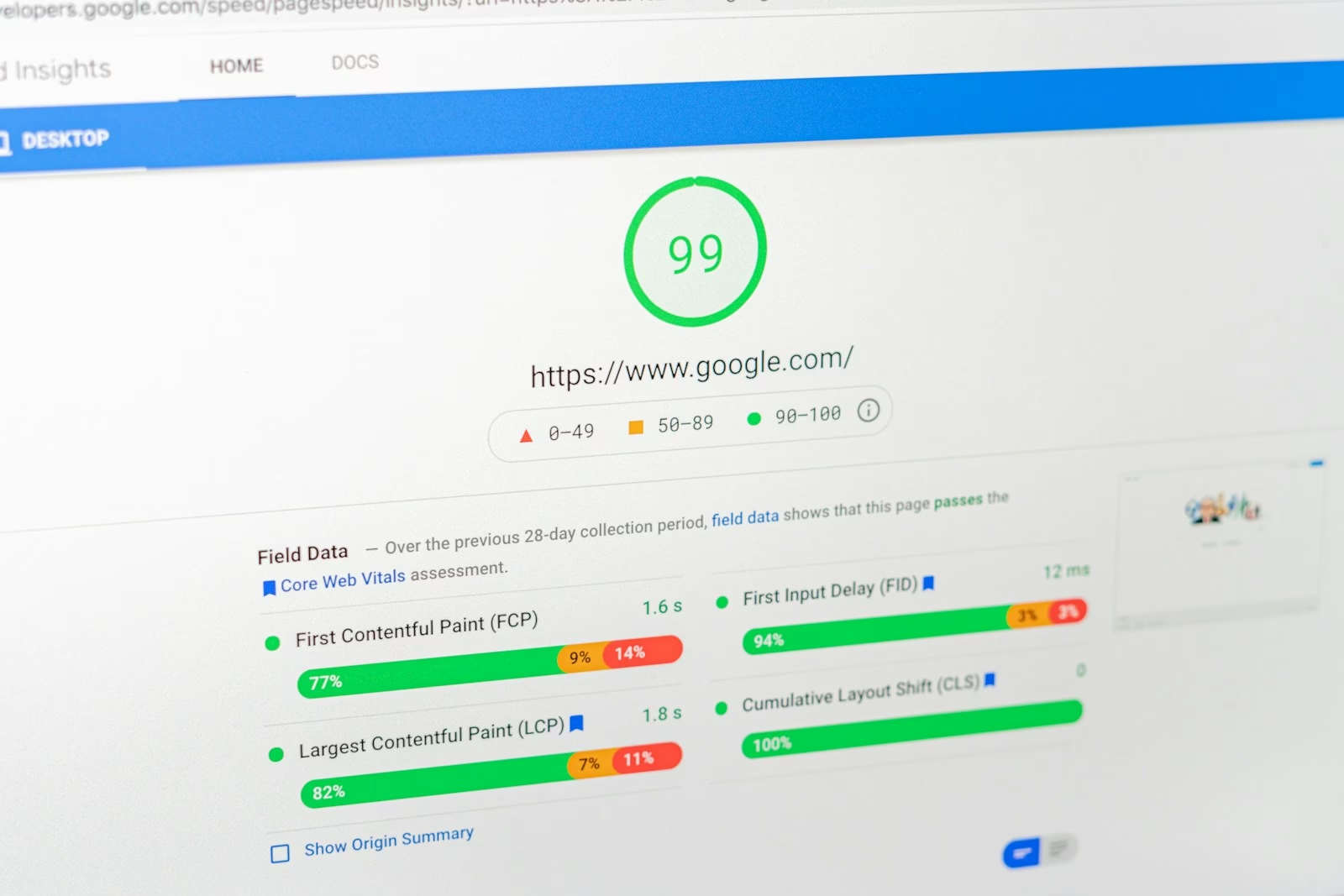
Running tests across more than one tool gives a more complete picture because each measures slightly different things. Google PageSpeed Insights is usually the best starting point because its recommendations are closely aligned with the factors Google uses in its own rankings.or improving loading speed.
Common Website Speed Mistakes
Even well-designed websites can suffer from performance issues that develop gradually over time. Understanding the most common mistakes makes them easier to spot and fix.
Uploading oversized images
Images that are far larger than their display size are one of the most common and easily avoidable causes of slow pages. Resizing and compressing images before uploading should be a standard part of any content workflow rather than an afterthought.
Too many plugins
Content management systems like WordPress make it easy to add functionality through plugins, but each plugin adds scripts, stylesheets, and sometimes database queries to every page load. Auditing installed plugins regularly and removing anything that is not actively necessary keeps this overhead under control.
Poor hosting environments
Low-quality hosting services can struggle to handle even modest levels of traffic or resource demand. If a website is slow even after other optimisations have been made, the hosting environment is worth investigating. Upgrading to a better plan or switching to managed hosting often produces noticeable improvements.
Ignoring mobile performance
A website that performs well on a desktop connection can still load slowly on a mobile network. Testing performance specifically on mobile devices and connections is important because mobile users now account for the majority of web traffic and have less tolerance for slow pages than desktop users.sers.
Practical Example
Imagine visiting an online store that takes several seconds to load its product pages. Even if the products are exactly what a visitor is looking for, slow loading times create doubt and frustration. Many visitors will abandon the site before the page finishes loading and look elsewhere.
By optimising images, improving server performance, and reducing unnecessary scripts, the same website could load in under two seconds. Visitors stay longer, engage more, and are more likely to complete a purchase. The products have not changed. The speed has.

Frequently Asked Questions
Here are some common questions about website speed optimisation and how it affects performance and search visibility.
What is a good website loading speed?
Pages should ideally load in under three seconds, with under two seconds considered strong performance. Faster load times lead to better user engagement, lower bounce rates, and improved search visibility. The specific targets for individual metrics like Largest Contentful Paint are covered in the Core Web Vitals guide.
Do images affect website speed?
Yes, significantly. Large or unoptimised images are one of the most common causes of slow websites. Compressing images, switching to WebP format, and resizing them to their actual display dimensions can reduce page weight considerably and is usually the quickest performance improvement available.
Is website speed important for SEO?
Yes. Page performance is a confirmed ranking factor for Google and other search engines. Faster websites provide a better user experience, and search engines reward that with better visibility in results. Performance metrics including Core Web Vitals are now part of how Google evaluates pages.
How do I test my website speed?
Google PageSpeed Insights is the best starting point because it provides specific recommendations aligned with Google’s own ranking factors. GTmetrix and Lighthouse are also widely used and provide more detailed technical breakdowns. Running tests on both desktop and mobile gives a complete picture of performance across different contexts.
Does hosting affect website speed?
Yes, more than many people realise. The quality and configuration of a hosting environment affects how quickly a server responds to requests, which influences loading times regardless of how well everything else is optimised. If a website remains slow after other improvements have been made, reviewing the hosting setup is a logical next step.
Key Takeaways
- Website speed directly affects both user experience and search engine rankings
- Large unoptimised images are the most common cause of slow websites and the quickest to fix
- Browser caching, minified files, and reduced JavaScript all contribute to faster loading times
- CDNs improve performance for websites with geographically distributed audiences
- Tools like Google PageSpeed Insights, GTmetrix, and Lighthouse identify specific issues and improvements
- Mobile performance deserves as much attention as desktop performance given current traffic patterns
- Hosting quality has a significant impact on speed and is worth reviewing if other optimisations have not resolved the issue
Final Thoughts
Website speed is one of those things that is easy to overlook when everything seems to be working. Pages load, content appears, and the site functions as expected. But there is a significant difference between a website that works and one that works well, and speed sits right at the heart of that difference.
The improvements that matter most are usually straightforward. Optimised images, efficient code, reliable hosting, and a CDN where needed will address the majority of speed issues on most websites. None of these require advanced technical knowledge to implement, and the impact on both user experience and search visibility is measurable.
Start with a PageSpeed Insights report to understand where your website currently stands, work through the recommendations in order of impact, and test again once changes have been made. Performance is not a one-time fix but it also does not require constant attention once the foundations are solid.